How to Get High-Converting Product Photos for Your Shopify Store (Best Tools, Services, AI and Photographers)
Great Product Photography Can Make an Average Shopify Store Feel Premium. Poor Photography Can Make a Great Product Look Cheap.
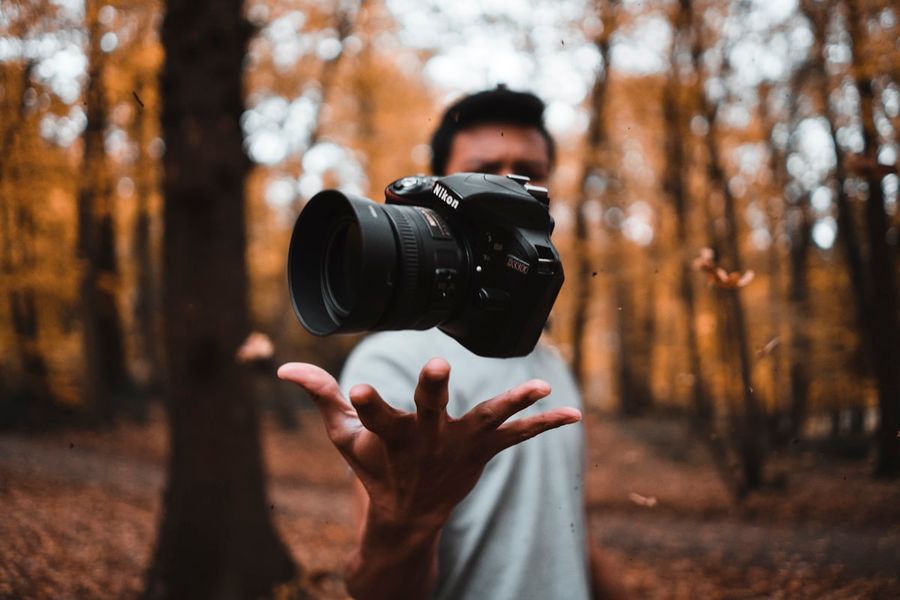
Great product photography can make an average Shopify store feel premium. Poor photography can make a great product look cheap.
Before customers read your copy, understand your ingredients, or find your reviews, they see the photos. Product photography is the first sales pitch every ecommerce store makes. A visitor who lands on a product page makes a subconscious quality assessment within the first two seconds, almost entirely based on the image quality, and that assessment directly affects their willingness to read further, add to cart, and complete checkout.
Digital Applied's April 2026 AI product photography analysis documents that professional product images improve ecommerce conversion rates by 30 to 40 percent compared to amateur photography. That improvement applies before any copy, pricing, or trust signal change. Photography is the highest-leverage single investment most early-stage Shopify brands can make in their store's conversion performance.
01What Makes Product Photos Look Premium
Premium product photography is almost always simple and intentional rather than complex. The elements that consistently distinguish professional from amateur product imagery are:
Clean, consistent lighting. Soft, diffused lighting that eliminates harsh shadows and reveals texture and material quality. Consistent lighting across all products in a catalogue so nothing looks like it came from a different shoot.
Accurate colour representation. A product page that shows a deep navy product when the physical item is royal blue drives returns and damages trust. Colour accuracy is both a conversion requirement and a post-purchase customer satisfaction issue.
High resolution optimised for web. Minimum 2000 pixels on the longest side, compressed for web (under 500KB) in WebP or JPEG format. High resolution images are zoomable on mobile, which is a critical trust-building feature for categories like jewelry, fabric, and food.
Consistent angles and framing. When every product in a collection is shot from the same angle with the same framing, the collection page looks intentional and premium. Inconsistent angles across products make a catalogue look assembled from different sources.
Mobile-first cropping. The majority of Shopify traffic is mobile. Images shot and cropped for desktop presentation often display with the product in the corner or partially cut off on small screens. Shoot and review every image on mobile before publishing.
02The Product Photos Every Shopify Store Should Have
White background product photos. Clean, distraction-free shots showing the product clearly. Required for Google Shopping, Amazon, and most marketplace listings. The primary image on most Shopify product pages. Every product needs this as a baseline.
Lifestyle photos. The product being used in context. These are the images customers imagine themselves in. For fashion, the product is worn. For food or supplements, the product is being used as part of a daily routine. For home goods, the product is in a styled living space. Lifestyle images drive emotional purchase decisions in a way white background shots cannot.
Detail and macro shots. Close-up shots that show texture, stitching, material quality, engravings, or finish. Critical for jewelry, textiles, leather goods, and any product where tactile quality is central to the value proposition. These shots address the trust gap that online shopping creates by letting customers see details they cannot feel.
Scale and context shots. The product shown alongside a known reference object (a hand, a coin, a standard item) so customers understand its true size. For every product where dimensions could be misinterpreted, scale shots directly reduce returns.
Packaging shots. For gifting occasions and any brand where the unboxing experience is part of the product promise, packaging photography communicates premium quality before the product is revealed.
UGC-style images. Natural, less polished images showing the product in real-world use. These provide social proof and authenticity that studio photography cannot replicate. A mix of polished studio shots and authentic UGC in the image gallery builds trust across different customer psychology types.
03Best Product Photography Services and Studios
Soona
Soona is an all-in-one content creation platform for ecommerce brands that need fast, affordable, and scalable product photography. It offers virtual photoshoots where brands direct photographers in real time and receive next-day edited assets. Pricing: Studio Pass at $149 per booking plus $39 per photo and $93 per 15-second video clip. Premium edits are an additional $9 per image. Best for: brands that need a consistent ongoing photography partner rather than one-off shoots, CPG brands needing frequent product content, and companies wanting the real-time direction capability without travelling to a studio. Limitation: may not suit highly complex or custom setups requiring extensive creative direction.
Squareshot
Squareshot is a premium ecommerce product photography studio based in New York, specialising in fine detail photography for products where material and texture quality must be communicated precisely: jewelry, accessories, leather goods, watches, and cosmetics. Pricing starts from approximately $4 per image for standard product photography with tiered pricing structures based on image count and complexity. Membership gives a 30 percent discount per image with no minimum order. Best for: brands where fine product detail is central to purchase confidence and where photographic accuracy matters more than turnaround speed. Particularly strong for high-end fashion accessories and beauty products.
Local Ecommerce Photography Studios
Local commercial photography studios with ecommerce experience typically charge $500 to $2,000 per day of studio time depending on location and studio quality. For brands with products that require careful physical handling, custom prop selection, or model direction, a local studio with direct creative control often produces the best results. Find local ecommerce photographers through Google, Instagram (search your city plus product photographer), Behance portfolios, and local creative directories. Always review portfolio work from previous ecommerce clients specifically before booking.
04Who to Hire Based on Your Needs and Budget
Ecommerce product photographer. A photographer specialising specifically in product work rather than event, portrait, or landscape photography. Ecommerce product photographers understand the requirements of web-optimised images, consistent white backgrounds, and the specific angles that work for different product categories. Find via Upwork, Contra, or Instagram. Rate range: $350 to $1,500 per day depending on location and experience.
Lifestyle brand photographer. Specialises in editorial and campaign photography showing products in their aspirational context. These photographers produce the hero imagery for homepages and ad campaigns. Rate range: $1,000 to $5,000 per day for an experienced lifestyle brand photographer with model direction capability.
Photo editor and retoucher. Transforms raw photos into polished, consistent product images: background removal, colour correction, shadow addition, and consistency editing across a catalogue. This is often the most cost-effective way to improve an existing photo library without a full reshoot. Rate range: $15 to $60 per image depending on complexity. Services like Pixelz and Clipping Path India specialise in ecommerce image retouching at scale.
UGC creator. Produces natural, social-media-native content showing the product being used authentically. The correct format for ad creative on TikTok and Instagram and a strong complement to studio photography on product pages. Rate range: $150 to $800 per deliverable depending on creator following and usage rights.
3D product rendering artist. Creates photorealistic 3D renders from product files or existing images, enabling angles and scenes that are impossible or prohibitively expensive to shoot physically. Increasingly relevant for furniture, electronics, and any product that benefits from exploded-view or cut-away imagery. Rate range: $200 to $2,000 per product depending on complexity.
05Best AI Tools for Product Photography in 2026
AI product photography tools have fundamentally changed the economics of ecommerce imagery. Digital Applied's April 2026 analysis quantifies the shift: traditional product shoots cost $200 to $5,000 per session. AI tools generate comparable output at $0.10 to $2.00 per image, an 80 to 95 percent cost reduction. For a 500-SKU catalogue, this reduces photography costs from $12,500 or more annually to under $1,000. AI tools handle 70 to 80 percent of typical catalogue photography needs. Real photography still wins for hero product pages and luxury goods where texture and materiality drive purchase decisions.
Photoroom
Background removal, template-driven batch workflows, and marketplace-ready image production. Photoroom has a polished mobile and desktop app with a free tier for testing and paid plans starting from approximately $12 per month. It excels at fast batch workflows for consistent listing images and social media ad creative. Best for: Shopify brands needing marketplace-compliant white background images at volume and small teams that want professional results with minimal configuration.
Claid
The strongest all-in-one AI product photography platform for high-volume catalogues. Claid combines background removal, shadow enhancement, colour correction, AI scene generation for lifestyle backgrounds, and virtual model placement for fashion apparel. It includes API access for automated workflows and batch processing for enterprise catalogues. Best for: stores managing more than 500 SKUs, fashion and apparel brands needing virtual model images, and brands requiring API integration with their production systems.
Pebblely
A focused AI background generator with minimal learning curve. Upload a product packshot, select a theme or describe the setting, and get lifestyle-quality backgrounds in seconds. The simplest workflow of any tool in this list. Paid plans from approximately $19 per month. Best for: small catalogues under 100 SKUs and brands wanting to add lifestyle context to existing white background shots without a full reshoot.
Flair
A drag-and-drop interface for precise AI scene composition. Place products, props, and 3D assets exactly where you want them in a generated scene rather than accepting what an algorithm produces. Best for: brands with creative directors who want control over the final image layout and art direction rather than randomised AI output.
Adobe Photoshop Generative Fill
Adobe's Generative Fill in Photoshop allows extending backgrounds, removing distracting elements, and adding contextual props to existing product images without reshooting. Best for: brands that already have strong product photography but need to adapt it for different crop ratios, extend images for different banner sizes, or clean up background distractions.
06DIY versus Hiring a Professional
DIY Photography Makes Sense If:
You are at the earliest validation stage before the product has demonstrated sales. The combination of a smartphone camera with an inexpensive lightbox, white card background, and natural window light is sufficient to produce images that test product-market fit on a landing page. AI tools like Photoroom or Pebblely can then extend the background and clean up the shots. For a catalogue of five to ten products at the validation stage, DIY combined with AI editing is a completely viable approach.
Hire a Professional If:
The product is in a premium positioning category where visual quality directly signals brand credibility (jewelry, luxury goods, fashion). You are scaling paid ads where creative quality materially affects CTR and conversion rate. The product has textures, materials, or details that are central to the purchase decision and require professional lighting to capture accurately. You are building out a homepage and product page that will serve as the primary brand impression for a sustained period.
07Realistic Pricing Across Every Approach
DIY with AI editing: $100 to $500 total. Lightbox or white card setup, Photoroom or Pebblely subscription, and your existing smartphone camera. Appropriate for validation stage and simple catalogues.
AI tools subscription: $20 to $200 per month. Photoroom from $12 per month, Pebblely from $19 per month, Claid enterprise pricing based on volume. Most appropriate when a brand has real product photos that need lifestyle scene generation or batch background work at scale.
Online photography service (Soona, Squareshot): $100 to $2,000 per project. Soona at $39 per photo plus $149 booking fee. Squareshot from $4 per image for standard work. Best for growing brands needing consistent professional quality without a full studio commitment.
Freelance photographer: $500 to $2,000 per day. Full day of studio time with an experienced ecommerce product photographer. Typically covers 30 to 60 product hero shots plus lifestyle context. Appropriate for brands with proven sales that are building out their core visual library.
Creative agency or premium studio: $3,000 to $15,000 per project. Full creative direction, model casting, prop sourcing, multi-location shoots, and full post-production. Appropriate for brand-defining hero campaigns, investor pitch decks, and major site relaunches for established brands.
08Common Product Photography Mistakes
Inconsistent backgrounds across products. Three products on white, two on grey, one on a lifestyle background makes the collection page look assembled rather than curated. Decide on one background approach per product type and apply it consistently.
Too few angles. One photo per product is rarely sufficient for a purchase decision. The industry standard is four to eight images per product covering the primary view, secondary view, detail shot, scale reference, and at least one lifestyle context shot.
Over-editing that produces unrealistic results. AI editing and retouching applied too aggressively produces product images that do not match the physical product, which drives returns and negative reviews about misleading photography.
Ignoring mobile crop. Images shot and framed for a 16:9 desktop display often crop the product partially on mobile square (1:1) or portrait (4:5) formats. Check every product image in Shopify's mobile preview before publishing.
Wrong image format or file size. PNG files for product photos are often 3 to 5 times larger than equivalent WebP or JPEG files with no perceptible quality difference. Oversized images slow page load, which directly reduces conversion rate.
09Great Product Photography Helps Customers Imagine Owning the Product
The best ecommerce photography does not just show what a product looks like. It helps the customer visualise themselves with the product: wearing it, using it, putting it in their home, gifting it. That visualisation is what bridges the gap between interest and purchase intent, and it is what separates product pages that convert at 1 percent from those that convert at 3 percent or more.
The right approach at the right stage is what matters. At the validation stage, AI tools and DIY photography combined cost under $500 and produce images sufficient to test product-market fit. At the scaling stage, a Soona shoot or a day with a freelance photographer produces the core visual library that drives conversion and ad performance for 12 to 18 months. At the brand-building stage, professional creative direction and lifestyle campaigns produce the hero content that defines how the brand is perceived.
If you want your Shopify store to feel premium, start with the product photos.
Sources
- Digital Applied: AI Product Photography Tools 2026 Best for eCommerce April 2026 (Claid Photoroom Flair Pebblely, 80-95% Cost Reduction, 30-40% Conversion Lift, Real Photography for Hero Pages)
- Soona: Product Photography and Video Pricing 2026 (Studio Pass $149, $39 per Photo, $93 per Video Clip)
- Squareshot: Ecommerce Product Photo Services (Fixed Pricing from $4 per Image, New York Studio, Membership 30% Discount)
- Pixelphant: How Much Does Product Photography Cost in 2026 (Soona Studio Pass $149, Squareshot Pricing Tiers, Day Rate Models)
- Evolve Media Agency: Best Amazon Product Photography Studios 2026 (Traditional vs Virtual vs AI vs Integrated Agency Comparison)
Frequently Asked Questions
How much does ecommerce product photography cost?+
What are the best AI product photography tools for Shopify?+
How many product photos does a Shopify store need?+
Should I use Soona or Squareshot for my Shopify product photos?+
Can AI product photography replace real photography for a Shopify store?+
What product photos do I need for Google Shopping and paid ads?+
How do I get good product photos on a small budget?+
If You Want Your Shopify Store to Feel Premium, Start with the Product Photos.
We build conversion-focused Shopify stores and can advise on product photography requirements for your specific category and brand positioning. Book a free call.
