How to Fix Your Store Shopify store and Increase Sales Fast
Stop guessing why your store isn't converting. This checklist walks you through every layer of your Shopify store and shows you exactly where you're leaking revenue and how to fix it.

You don't waste your marketing budget
Most Shopify stores lose 60 to 90 percent of potential revenue on their product pages without knowing it. Get a free product page audit and find out where yours is leaking.
If your Shopify store is getting traffic but not converting, you do not have a traffic problem. You have a conversion problem.
Most Shopify stores are leaking 60 to 90 percent of potential revenue through poor product pages, weak offer positioning, bad UX, and broken funnels. The average Shopify store converts at 1.4 percent. The top quartile converts at 4 percent or above. That gap is not explained by ad spend or traffic volume. It is explained by what happens after the visitor lands.
This checklist walks you through every layer of your store from offer and positioning through to analytics and tracking. Work through each section in order. The sections are sequenced by impact. Fix the most important things first.
Before you touch a single tool or tactic, open your Shopify Analytics dashboard right now and answer these three questions.
What is your current conversion rate?
Go to Shopify Admin, click Analytics, then Overview. Your conversion rate is listed under the sessions metric. Below 1 percent is almost always a hero zone or trust problem. Between 1 and 2 percent is usually a mid-page content or FAQ problem. Above 2 percent and wanting more is typically a retention and review problem.
Which page has the highest drop-off rate?
In Shopify Analytics go to Reports then Sales then click into your funnel. Alternatively open GA4, go to Reports, then Engagement, then Pages and Screens and sort by bounce rate. Product page abandonment is a different problem to checkout abandonment. Know which one you are solving.
Where is your traffic coming from?
In Shopify Analytics go to Reports then Sessions by Traffic Source. Cold paid social converting at 0.5 percent is a different problem to warm email converting at 0.5 percent. Your fixes should reflect the traffic type you are trying to convert.
108Offer and Product Positioning
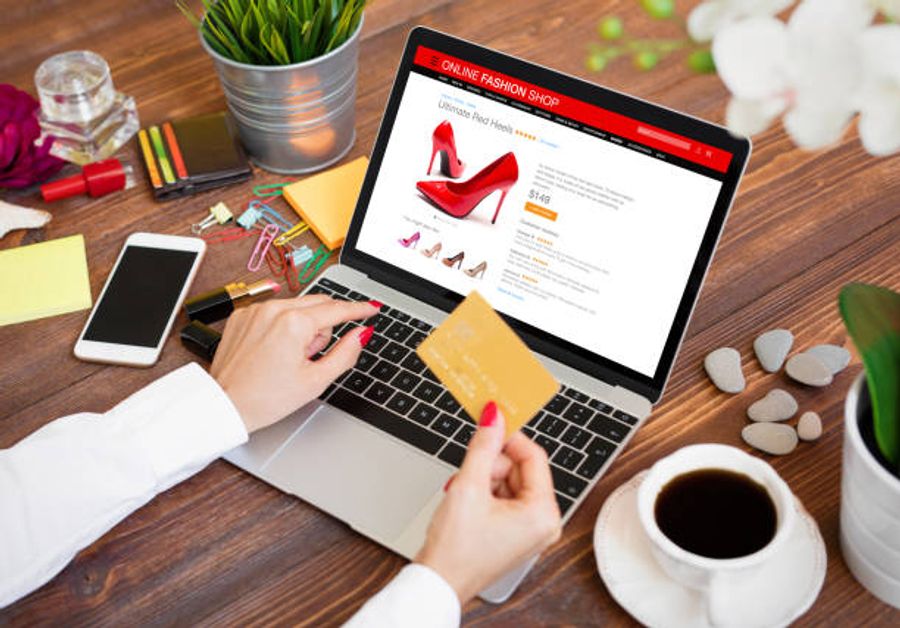
This is the most important section in the checklist. Nothing else will fix a weak offer. If your product positioning does not clearly communicate the specific result it delivers to a specific person with a specific problem, every other improvement you make is building on a cracked foundation.
What to audit and how to fix it:
Does your product communicate a specific outcome rather than a category?
How to check: Read your current headline out loud. Ask yourself whether it describes what the product is or what it does for the buyer. "Premium heavyweight hoodie that lasts five years without fading" has a specific claim. "High quality hoodie" is a category with no claim.
How to fix it
Rewrite your headline using this formula: Product name plus specific outcome plus timeframe or differentiator. Use your existing customer reviews to find the exact language buyers use to describe the result they got. Search your reviews for the phrase "I finally" or "I noticed" and the words that follow are almost always better headline material than anything a copywriter will invent.
Tools:
- Okendo (https://www.okendo.io): Review platform that collects detailed customer feedback. Mine reviews for outcome language.
- Yotpo (https://www.yotpo.com): Alternative review platform with similar review mining capability.
- Google Forms (free): Send a two-question survey to recent customers asking what problem they had before buying and what result they got. Use their exact words in your copy.
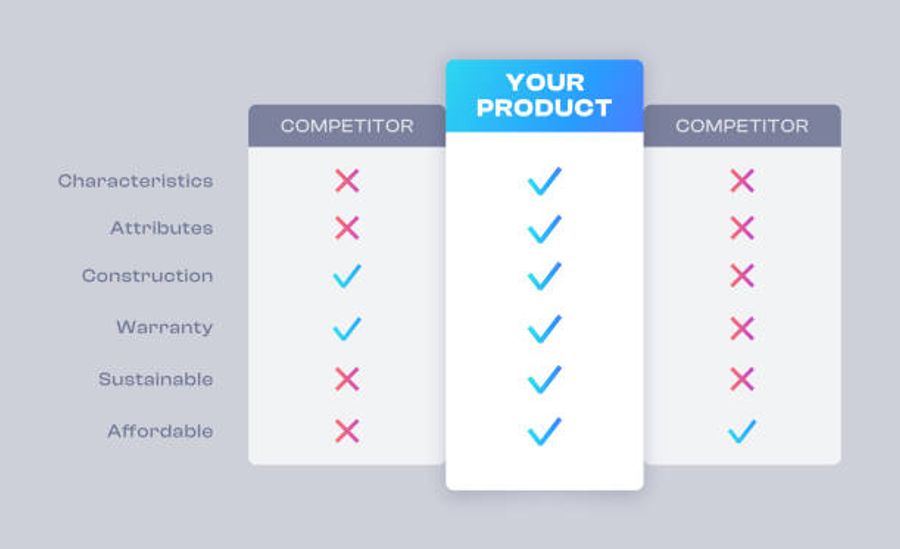
Is your product differentiated from competitors?
How to check: Google the top three competitors in your category. Read their product page headlines. If your headline could belong on any of their pages you are not differentiated.
How to fix it
Run the competitor review mining method. Go to Amazon and find the top three products in your category. Read the one, two, and three star reviews. These tell you what the market wants that existing products are not delivering. That gap is your differentiator. State it explicitly on your page.
Tools:
- Amazon (free): Direct competitor and review mining source.
- Wayback Machine at web.archive.org (free): See how competitor pages have changed over time. A page that has not changed in two years is almost certainly converting well. Study what they are doing and why.
109Product Page Optimization
Above the fold
How to check: Open your product page on your phone. Do not scroll. Ask whether a person who has never heard of your brand can answer all five questions within three seconds: what is it, is it legitimate, what does it do for me, what does it cost, what happens if it does not work. If the answer to any of these is no, you have a hero zone problem.
How to fix it:
Your hero zone needs all of the following visible before the scroll on mobile:
- Product name: clear and benefit-focused not generic
- Credibility signal: review count with star rating or units sold number
- One-line outcome benefit: not a feature, not an ingredient, the specific result
- Price with context: subscription saving, per-use cost, or strikethrough comparison
- Risk reversal: guarantee or free returns policy in plain language
Tools to fix the above fold:
- Replo (https://replo.app): No-code Shopify page builder for building and testing new above the fold layouts without a developer. From $99 per month.
- Shogun (https://getshogun.com): Alternative page builder with built-in A/B testing for testing hero zone variants. From $39 per month.
- PageFly (https://pagefly.io): Free entry-level page builder for smaller stores not yet ready for paid tools. Free plan available.
Product photography
How to check: Look at your product images and ask honestly whether they look like they belong to a real brand or whether they look like stock images or dropshipped product photos. If a visitor could find the same photos on five other stores in your category your photography is undermining everything else on the page.
How to fix it
Commission original product photography using real customers in real contexts. If budget is a constraint, reach out to recent customers and offer a discount code in exchange for photos. Authentic customer photos on a white counter at home convert better than polished studio photos that look generic. For product-only shots, photograph on surfaces and backgrounds that match your brand aesthetic rather than plain white.
Tools:
- Minea (https://minea.com): Ad spy tool that shows you what photography formats competing brands are running that are getting engagement. From $49 per month.
- Loox (https://loox.io): Automatically collects photo reviews from customers after purchase. These authentic customer photos can be used across the page as social proof. From $9.99 per month.
Mid-page copy and visual hierarchy
How to check: Install Microsoft Clarity (free at clarity.microsoft.com) and watch five session recordings of visitors who spent more than two minutes on your page without converting. Watch specifically for where their scroll slows down or stops. The section where the majority of visitors stop scrolling is almost always where the copy or layout is losing them.
How to fix it:
Rewrite your product description using this structure:
- Open with the specific problem your customer has right now in their own language
- Explain what your product does about it in plain language without jargon
- Show what the customer's life looks like after the problem is solved
- Explain why your product solves it in a way nothing else does
- Move technical specifications and ingredient lists into a collapsible accordion at the bottom
For visual hierarchy: each section of the mid-page should have a benefit-focused heading that communicates value on its own without the body copy, two to three sentences of supporting copy, and a visual element that proves the claim being made in that section. No section of body copy should run longer than three to four sentences before a visual, subheading, or layout change gives the eye a place to rest.
Tools:
- Microsoft Clarity (free at https://clarity.microsoft.com): Session recordings showing exactly where visitors lose interest on the page.
- Lucky Orange (https://www.luckyorange.com): Scroll maps showing how far down the page the average visitor gets. From $19 per month.
- Hotjar (https://www.hotjar.com): Heatmaps and scroll depth analysis on your product page. From $32 per month.
FAQ Section

How to check: Read your current FAQ and ask whether the questions were written by the brand or by customers. Brand-written FAQs answer safe questions. Customer-written FAQs answer the questions that are actually blocking the purchase.
How to fix it
Open your customer service inbox and export the last thirty pre-purchase questions. Every single one of those is a question a real visitor could not find the answer to on your page. Turn them into an FAQ accordion embedded on the product page. Not linked to a help centre. On the page itself. Answer the uncomfortable questions first. The questions brands avoid answering are almost always the ones blocking the most sales.
Tools:
- Gorgias (https://www.gorgias.com): Customer service platform that makes it easy to export and search pre-purchase questions by tag or keyword. From $10 per month.
- Richie (https://apps.shopify.com/richie): Adds structured FAQ sections to Shopify product pages with schema markup. Free plan available.
Reviews
How to check: Count how many reviews are visible before the visitor scrolls on your product page. If the answer is zero your review placement is costing you conversions. Review count and star rating should be visible in the hero zone next to the product name.
How to fix it
Move the review count widget into the hero zone immediately below the product name. Add one curated result-based testimonial between your mid-page content and your FAQ. Keep the full review section at the bottom for visitors who want to read everything.
Tools:
- Okendo (https://www.okendo.io): Best review platform for DTC brands. Collects photo and video reviews with attribute-based filtering. From $19 per month.
- Loox (https://loox.io): Photo review platform. Automatically requests reviews after purchase with a photo incentive. From $9.99 per month.
- Judge.me (https://judge.me): Most affordable review platform with a robust free plan. Free plan available, paid from $15 per month.
110Site Speed and Mobile UX
How to check your speed right now:
Go to pagespeed.web.dev and enter your product page URL. Run the test on mobile. Your target is a score above 70. Below 50 is a revenue problem that needs immediate attention. Write down your Largest Contentful Paint time. Your target is under 2.5 seconds.
Alternatively go to Shopify Admin, click Online Store, then Themes, and look at your speed score in the top right corner of the theme editor. Shopify compares you to similar stores. If you are in the bottom quartile your speed is actively costing you conversions.
How to fix the most common speed problems:
Apps are the number one speed killer. Go to Shopify Admin, click Apps, and list every installed app. For each one ask: is this actively contributing to revenue right now? If the answer is no or maybe, uninstall it. Common culprits to remove: social media feed widgets, multiple review apps when you only need one, popup tools you are not actively using, countdown timer apps that are not currently running a campaign, and abandoned cart apps that duplicate what Klaviyo already does.
Images are the second biggest speed problem. Every product image should be compressed to WebP format and no larger than 2048 by 2048 pixels before uploading. Most stores have images two to three times larger than they need to be.
Tools for speed:
- Google PageSpeed Insights (free at https://pagespeed.web.dev): Full speed audit with specific recommendations for your store.
- TinyPNG (free at https://tinypng.com): Compress images before uploading to Shopify. Typically reduces file size by 60 to 80 percent without visible quality loss.
- TinyIMG (https://tiny-img.com): Shopify app that automatically compresses and optimises images as you upload them. From $4.99 per month.
- Shopify's built-in Web Performance dashboard: Shopify Admin, then Online Store, then Themes. Shows real user data on LCP, CLS, and INP across your store.
Mobile UX fixes:
Sticky add to cart button: If your add to cart button disappears when a visitor scrolls down your product page you are losing mobile conversions. A sticky add to cart bar that stays visible as the visitor scrolls produces 5 to 12 percent mobile conversion lift.
Tools:
- Sticky Add To Cart Booster (https://apps.shopify.com/sticky-add-to-cart): Adds a sticky add to cart bar to any Shopify theme. Free plan available.
- Many Shopify 2.0 themes include a built-in sticky add to cart option in the theme editor. Check your theme settings before installing a third-party app.
111Checkout Optimization
How to check your checkout drop-off:
In GA4 go to Reports then Monetization then Purchase Journey. This shows you exactly how many visitors are dropping off at each stage of the checkout. Alternatively in Shopify Analytics go to Reports then Sales then Checkout funnel. If more than 40 percent of visitors who start checkout do not complete it your checkout has a specific friction problem.
How to fix checkout drop-off in order of impact:
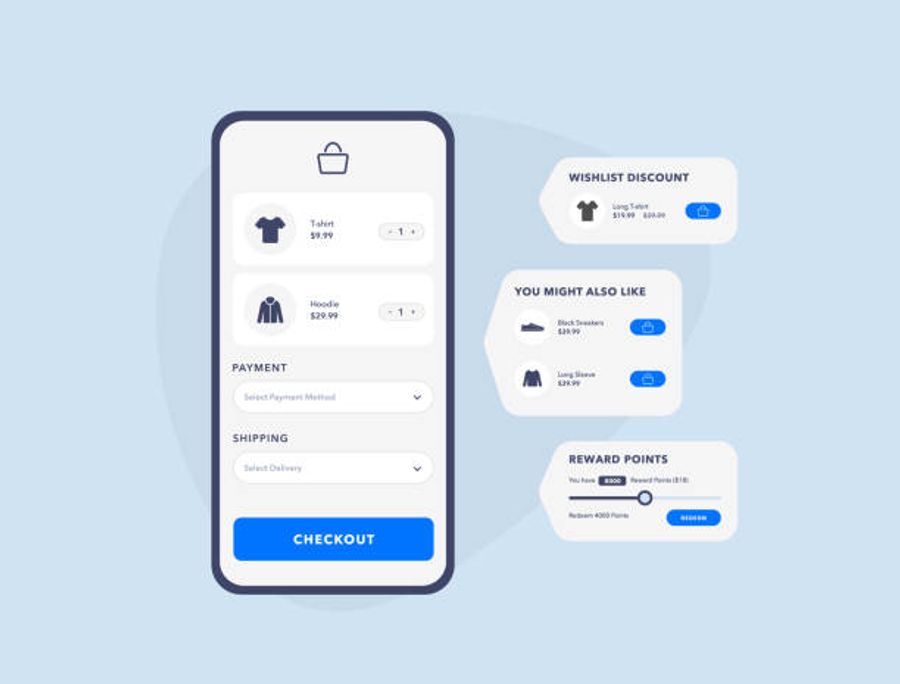
Enable express checkout. Go to Shopify Admin, then Settings, then Payments. Enable Shop Pay, Apple Pay, and Google Pay. These take less than five minutes to enable and produce measurable lift within days. Shop Pay users complete checkout at 1.72 times the rate of guest checkout users.
Enable guest checkout. Go to Shopify Admin, then Settings, then Checkout. Under Customer accounts select Accounts are optional. This allows visitors to check out without creating an account.
Display shipping costs before checkout. Add shipping cost information to your product page, your cart drawer, and an announcement bar at the top of every page. In Shopify Admin go to Online Store then Themes then Customize to add an announcement bar to your header.
Enable BNPL for products over $100. Go to Shopify Admin then Settings then Payments and enable Shop Pay Installments if you are using Shopify Payments. For Klarna or Afterpay install directly from the Shopify App Store.
Tools for checkout optimization:
- Shop Pay (free, built into Shopify Payments): Enable in Settings then Payments. 1.72x checkout completion rate.
- Klarna (https://www.klarna.com/shopify): BNPL option. Install via Shopify App Store. 20 to 30 percent conversion lift for items over $100.
- Afterpay (https://www.afterpay.com): Alternative BNPL. Strong adoption with younger demographics.
- ReConvert (https://reconvert.io): Post-purchase upsell tool for the Shopify thank you page. Enables one-click upsells after checkout is complete. From $4.99 per month.
- AfterSell (https://aftersell.com): Alternative post-purchase upsell tool with AI-powered offer recommendations. From $7.99 per month.
Shipping threshold progress bar:
A progress bar in the cart showing how close a visitor is to free shipping reduces abandonment by 15 to 23 percent and increases AOV simultaneously.
Tools:
- Free Shipping Bear (https://apps.shopify.com/freeshippingbear): Adds a free shipping progress bar to cart. Free plan available.
- Monster Cart Upsell (https://apps.shopify.com/monster-upsells): Cart drawer with built-in free shipping progress bar and upsell capabilities. From $4.99 per month.
112Cart Abandonment Recovery
How to check what you are currently recovering:
In Klaviyo go to Flows and look at your abandoned cart flow. If you do not have one you are losing revenue every single day it is not running. If you do have one click into it and look at the revenue generated per recipient. Industry benchmark is $3 to $5 revenue per recipient. If you are below that your flow needs improvement.
How to set up the abandoned cart flow:
In Klaviyo go to Flows then Create Flow then Browse Templates and select Abandoned Cart. Set the trigger as Checkout Started. Set your three emails as follows:
Email 1 at one hour: Subject line referencing the specific product. Body showing the product image, name, and price with a single clear CTA back to checkout. No discount yet.
Email 2 at twenty-four hours: Address the most common objection your customers have. Pull your top pre-purchase customer service question and answer it in the subject line and body. Include social proof specific to that objection.
Email 3 at seventy-two hours: Offer a small incentive if needed. A free shipping offer or a five to ten percent discount code. This email should feel like a genuine last chance not a desperate attempt.
How to set up browse abandonment:
In Klaviyo go to Flows then Create Flow then Viewed Product. This flow only works at full capacity with server-side tracking in place. Without it Klaviyo can only identify visitors who have recently clicked a Klaviyo email. With server-side tracking it identifies all known subscribers who view a product regardless of how they arrived.
Tools for cart recovery:
- Klaviyo (free to start at https://www.klaviyo.com): Non-negotiable. Set up all three flows before anything else.
- Postscript (https://www.postscript.io): Add SMS abandoned cart alongside your Klaviyo email sequence. SMS open rates are significantly higher than email and capture a different segment. From $100 per month.
- TrackBee (https://www.trackbee.io): Server-side tracking that enables browse abandonment flows for significantly more visitors. From $49 per month.
- Littledata (https://www.littledata.io): Alternative server-side tracking with deep Klaviyo identity resolution. From $99 per month.
113Retargeting System

How to check what you currently have running:
Go to Meta Ads Manager and look at your active campaigns. Filter by objective. If you do not have at least one retargeting campaign running targeting website visitors you are paying full acquisition cost for every sale. Go to Google Ads and check for active display retargeting campaigns targeting past visitors.
How to set up retargeting audiences in Meta:
In Meta Ads Manager go to Audiences then Create Audience then Custom Audience then Website. Create the following four audiences separately:
- All website visitors in the last 30 days
- Product page viewers who did not add to cart in the last 30 days. URL contains your product page path.
- Add to cart in the last 14 days but no purchase. Use the AddToCart event minus the Purchase event.
- Checkout started in the last 7 days but no purchase. Use the InitiateCheckout event minus the Purchase event.
Run separate ad campaigns to each audience with different creative and messaging. Checkout abandoners need urgency and objection-handling. Product page viewers need awareness and desire-building. Do not use the same creative for both.
How to verify your pixels are firing correctly:
Install the Meta Pixel Helper Chrome extension (free at the Chrome Web Store). Visit your store and open the extension. It shows you which events are firing and whether they are configured correctly. Do the same test in Meta Events Manager under Test Events.
Tools for retargeting:
- Meta Pixel via Facebook and Instagram sales channel (free): Shopify Admin then Sales Channels then Facebook and Instagram.
- Google and YouTube sales channel (free): Shopify Admin then Sales Channels then Google and YouTube.
- TikTok sales channel (free): Shopify Admin then Sales Channels then TikTok.
- TrackBee (https://www.trackbee.io): Server-side tracking that closes the 20 to 40 percent gap in retargeting audience size caused by iOS and ad blockers. From $49 per month.
- Elevar (https://getelevar.com): More advanced server-side tracking for stores spending over $15,000 per month on paid media. From $150 per month.
- Triple Whale (https://www.triplewhale.com): Cross-channel attribution dashboard showing which retargeting campaigns are actually driving revenue. From $129 per month.
114Analytics and Tracking
How to check whether your tracking is working:
Open Shopify Admin and note the total orders for the last thirty days. Open GA4 and go to Reports then Monetisation then Ecommerce Purchases and look at the total transactions for the same period. If these numbers differ by more than five percent your tracking is broken and every decision you make from your analytics is based on inaccurate data.
Open GA4 and go to Reports then Acquisition then Traffic Acquisition. Look at your Direct traffic channel. If Direct is showing more than 20 percent of your sessions and you are running active email campaigns your UTM tracking is almost certainly missing on your email links. Read our full guide on setting up UTM parameters correctly. [INSERT UTM ARTICLE LINK]
How to fix broken tracking:
For GA4 to Shopify tracking gaps: Install Littledata or Elevar. Both send conversion events server-side and fix the gaps in the default Shopify to GA4 integration. Littledata takes thirty minutes to set up. Elevar is more comprehensive for stores with complex multi-channel attribution needs.
For missing UTM tracking on email: In Klaviyo go to Account then Settings then Tracking and ensure UTM tracking is enabled. Verify that every flow email and campaign email has UTM parameters appending to the links automatically.
How to set up Microsoft Clarity in five minutes:
Go to clarity.microsoft.com and create a free account. Click New Project, enter your store URL, and select Shopify from the platform list. Clarity generates a tracking code. In Shopify Admin go to Online Store then Themes then Edit Code then theme.liquid. Paste the Clarity code immediately before the closing head tag and save. Clarity starts recording sessions within minutes.
After one week of data: Go to Clarity, click Recordings, and filter by Sessions where the visitor spent more than two minutes and did not convert. Watch ten recordings. Note where each visitor slows down or leaves. That pattern is your first CRO priority.
Tools for analytics:
- Google Analytics 4 (free at https://analytics.google.com): Connect via Shopify Admin then Sales Channels then Google and YouTube.
- Microsoft Clarity (free at https://clarity.microsoft.com): Install via theme.liquid. Unlimited recordings, heatmaps, and rage click detection.
- Shopify Analytics (free, built in): Shopify Admin then Analytics then Overview.
- Littledata (https://www.littledata.io): Fixes GA4 tracking accuracy. From $99 per month.
- Analyzify (https://analyzify.app): Done-for-you tracking setup if you want the technical work handled. From $149 per month.
- Lucky Orange (https://www.luckyorange.com): Behaviour analytics with automatic Shopify funnel tracking. From $19 per month.
- Hotjar (https://www.hotjar.com): Heatmaps and session recordings with on-site survey capability. From $32 per month.
115Trust and Credibility

How to check your trust signal placement:
Open your product page on your phone and scroll slowly from top to bottom. Note every place where a visitor might feel doubt. Is this brand real? Will this actually work for me? What if it does not? Will I be able to return it? At every one of those moments there should be a trust signal directly addressing that specific doubt. If there is not, that is where you add one.
How to fix trust signal placement:
In your Shopify theme editor go to the product page template and look at the section order. Move your review widget up so the review count appears in the hero zone below the product title. This is a no-code change in most Shopify 2.0 themes.
Add a trust bar directly below your add to cart button. A trust bar is a row of four to six icons with short text statements. Create this as a custom section in your theme editor or use a dedicated app. Each icon should address a different buyer doubt: shipping speed, return policy, quality guarantee, customer satisfaction rate, and secure payment.
Build your UGC carousel as the first section below your hero zone. In your Shopify theme editor add a video section or use a dedicated UGC app. Minimum five real customer videos holding and using the product.
Tools for trust and reviews:
- Okendo (https://www.okendo.io): Best review and UGC platform for DTC brands. From $19 per month.
- Loox (https://loox.io): Photo review collection. From $9.99 per month.
- Judge.me (https://judge.me): Most affordable option. Free plan available.
- Yotpo (https://www.yotpo.com): Enterprise review and UGC platform. Pricing on request.
- Fera.ai (https://www.fera.ai): Social proof app that displays real-time activity, review counts, and trust signals. From $9 per month.
- Stamped (https://stamped.io): Review platform with Net Promoter Score and loyalty features. From $23 per month.
116The Money Leak Test

Run this diagnostic right now:
Step 1: Open Shopify Admin then Analytics then Reports then Sales then Purchase funnel.
Step 2: Note your add to cart rate. This is the percentage of sessions that result in an add to cart event. If it is below 5 percent your product page is the primary leak. Start with Sections 1 and 2 of this checklist.
Step 3: Note your cart to checkout rate. If below 50 percent your cart experience has friction. Focus on Section 4 and Section 5.
Step 4: Note your checkout completion rate. If below 40 percent your checkout has specific friction. Focus on Section 4 specifically: enable express checkout, guest checkout, and display shipping costs.
Step 5: Open Microsoft Clarity and filter recordings for the stage where your biggest leak is happening. Watch ten recordings of visitors who dropped off at that exact stage. The pattern in those recordings tells you exactly what to fix.
Whichever stage shows the biggest drop-off is where you start. Do not fix the product page if the checkout is where you are losing 60 percent of buyers. Do not optimise checkout if 95 percent of visitors are leaving before they ever add to cart.
117Quick Wins for Immediate Revenue Impact
These five changes can be implemented today and will produce measurable results within two weeks.
Quick win 1: Enable express checkout
Time to implement: five minutes.
Shopify Admin then Settings then Payments then enable Shop Pay, Apple Pay, and Google Pay. Turn on all three. This is the highest single-change conversion lift available to any Shopify store.
Quick win 2: Set up Klaviyo abandoned cart flow
Time to implement: thirty to sixty minutes.
Go to klaviyo.com and create a free account. Connect to Shopify when prompted. In Klaviyo go to Flows then Create Flow then Abandoned Cart. Build the three-email sequence described in Section 5. Do not overthink the copy on the first attempt. Get it running and refine it based on performance data over the following four weeks.
Quick win 3: Add review count to hero zone
Time to implement: fifteen minutes.
In your Shopify theme editor go to the product page template. Find the review widget or star rating section. Drag it up so it appears directly below the product title. In most Shopify 2.0 themes this is a no-code drag-and-drop change in the theme customizer.
If your theme does not support this natively, install Okendo or Judge.me and use their widget that displays an inline star rating with review count in the product title area.
Quick win 4: Compress all product page images
Time to implement: thirty minutes.
Download all images currently on your highest-traffic product page. Run each one through TinyPNG at tinypng.com. Re-upload the compressed versions. Then install TinyIMG from the Shopify App Store to automatically compress all future uploads. This single change typically improves mobile page load time by 0.5 to 1.5 seconds.
Quick win 5: Fix your mobile above the fold
Time to implement: one to two hours depending on your theme.
Open your product page on your phone. Use the checklist from Section 2. For every element that is missing from the above fold make the change in your Shopify theme customiser. Most of these changes are no-code adjustments to section order and content. If your theme does not support the layout you need use Replo or Shogun to build a new above-fold section and replace the existing one.
The reality most store owners face after going through this checklist
Most store owners read a checklist like this and know exactly what needs fixing. The problem is not identifying what is wrong. The problem is knowing which fix will move the needle most for their specific store, implementing it correctly, and measuring whether it worked.
Getting a single item wrong in the sequence means spending time and money on changes that produce no measurable result. Fixing checkout when the product page is the real leak. Improving copy when the tracking is broken and you cannot measure whether the copy change worked.
If you want this done properly we fix the actual revenue leaks in your store and increase your conversion rate. Not an audit, not a report, not a list of recommendations. We identify your specific leak, implement the fix, and show you the lift in your own analytics.
Frequently Asked Questions
What is a good Shopify conversion rate?+
Why is my Shopify store getting traffic but no sales?+
What is the fastest way to increase Shopify conversion rate?+
How do I find where my Shopify store is losing customers?+
How much does it cost to fix a Shopify conversion problem?+
Why is my add to cart rate below 5 percent on Shopify?+
How do I set up an abandoned cart flow in Klaviyo for Shopify?+
How do I find out which page is causing the most drop off in my Shopify store?+
Why is my checkout abandonment rate so high on Shopify?+
How do I fix slow page speed on my Shopify store?+
our store is closer to 4 percent than you think
he gap between an average Shopify store and a top performing one is almost always fixable. Let us show you where to start.
