Shopify ERP Integration: How to Choose the Right ERP for Your Ecommerce Business
Most Shopify Brands Don't Need an ERP When They Launch. But as They Grow, Spreadsheets and Disconnected Systems Eventually Become Impossible to Manage.

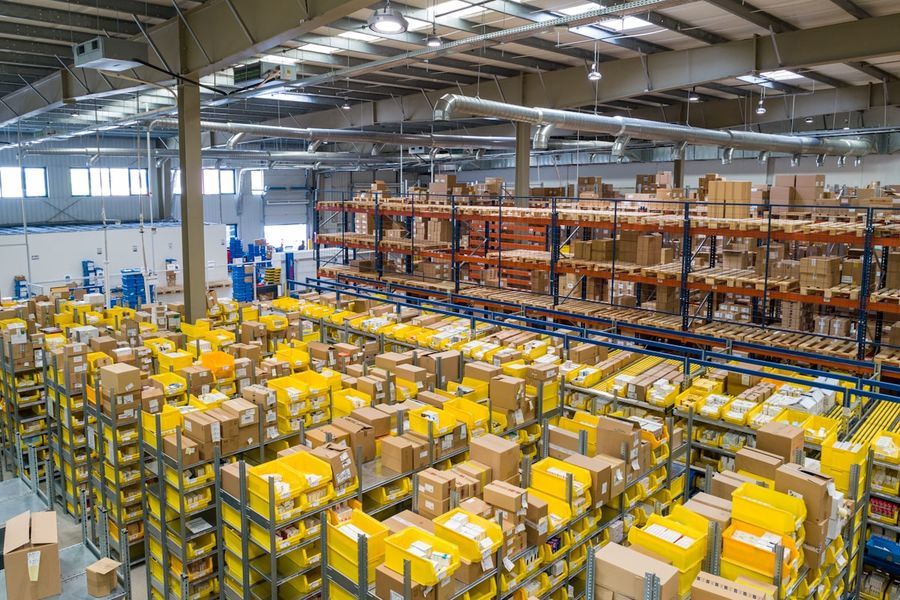
Most Shopify brands do not need an ERP when they launch. A combination of Shopify's native features, a few well-chosen apps, and manual processes that fit the current order volume is sufficient for brands in their early stages. The problems start when growth exposes the limitations of that infrastructure.
What works at $100,000 per year often breaks at $1M. What works at $1M often breaks at $5M. The operational complexity that accompanies growth, across multiple warehouses, multiple sales channels, wholesale operations, manufacturing, international markets, and a team that needs visibility into inventory, orders, purchasing, and financials simultaneously, cannot be managed through spreadsheets and disconnected point solutions indefinitely. An Enterprise Resource Planning system is the infrastructure that resolves this complexity by creating a single operational hub where all of this data lives and flows.
The global ERP market reached $64 billion in 2025 according to Gartner, and is projected to hit $93 billion by 2029. Yet 55 percent of ERP implementations still fail to meet their original objectives, according to Panorama Consulting's 2025 ERP Report. The primary reason is not technology failure. It is choosing the wrong ERP for the organisation's specific needs, size, and growth trajectory. This guide exists to help Shopify brands avoid that failure mode.
01What Is an ERP?
Enterprise Resource Planning is the category name for software systems that connect an organisation's core business functions into a single integrated platform. Where a Shopify brand without an ERP manages inventory in one system, purchasing in a spreadsheet, accounting in QuickBooks, warehouse operations in a 3PL portal, and wholesale orders in a separate system, an ERP creates a single source of truth where all of these functions are connected and share a common data layer.
For ecommerce brands specifically, an ERP typically manages: inventory across all locations and channels, purchase orders and supplier relationships, warehouse operations including receiving, picking, and shipping, order management from all sales channels, customer data and account management, financial accounting and reporting, demand forecasting and purchasing planning, and manufacturing workflows where applicable. The Shopify store remains the customer-facing sales channel. The ERP is the operational infrastructure behind it.
02Signs Your Shopify Brand Needs an ERP

The operational signals that indicate ERP readiness are consistent across most growing ecommerce brands. You should consider ERP implementation when you are processing 100 or more orders per day, selling on three or more channels, managing inventory value exceeding $500,000, or spending excessive time on manual data reconciliation. These signals indicate your current tools are creating operational risk.
Additional signals include: inventory inaccuracies that result in overselling or stockouts, purchasing decisions made without reliable demand data, warehouse operations that rely on manual processes for receiving and picking, accounting reconciliation that requires significant manual effort to connect Shopify payouts to the general ledger, wholesale or B2B operations that require custom pricing and account management beyond what Shopify handles natively, and any manufacturing requirement that involves tracking raw materials, work-in-progress, and finished goods simultaneously.
03What Happens Without an ERP at Scale
You start on Shopify, things go well, and for a while spreadsheets and a handful of apps cover the gaps. Inventory syncs from a plugin. Orders export to QuickBooks. Someone manually updates stock counts when a wholesale order ships. Then the cracks show up. A customer buys something that's been out of stock for two days because the inventory feed lagged. Your accountant spends a full day reconciling Shopify payouts against your general ledger. These are the early symptoms. At higher revenue and order volume, the consequences are more severe: fulfillment delays, incorrect purchase orders, cash tied up in excess inventory, stockouts on bestselling SKUs, and financial reporting that nobody trusts.
The pattern in most brands that have delayed ERP implementation too long is that the operational complexity grows to the point where resolving it requires a significant parallel effort: migrating historical data, rebuilding processes, retraining the team, and maintaining the old broken system while the new one is implemented. This is significantly more expensive and disruptive than implementing earlier at lower complexity.
04How Shopify ERP Integrations Work
A Shopify ERP integration creates a bi-directional data flow between the Shopify store and the ERP system. Products created in the ERP sync to Shopify with their attributes, variants, and pricing. Inventory levels managed in the ERP push to Shopify in real time, preventing overselling. Orders placed in Shopify push to the ERP for fulfillment processing, and fulfillment status updates (including tracking numbers) push back to Shopify to update the customer. Customer data and order history sync to the ERP for account management and lifetime value analysis. Financial data from order settlements syncs to the accounting module within the ERP.
The integration architecture can be native (the ERP has a built-in Shopify connector), middleware-based (an iPaaS platform like Celigo, Boomi, or Zapier manages the integration between Shopify and the ERP), or custom-built against Shopify's Admin API. Native connectors are faster to implement and easier to maintain. Middleware provides more flexibility for complex data transformation requirements. Custom integrations offer complete control but carry higher implementation and maintenance costs.
05The Best ERP Systems for Shopify in 2026
NetSuite
The market standard for mid-market and enterprise ecommerce brands. NetSuite offers the most mature and most comprehensive functionality across financials, inventory, order management, CRM, and analytics. The Shopify integration ecosystem around NetSuite is the most developed of any ERP: multiple certified integration partners, purpose-built connectors, and extensive documentation. Pricing typically runs $2,000 to $5,000 per month for mid-market ecommerce. Implementation runs $25,000 to $60,000 or more. Best for: brands above $5M in annual revenue with complex multi-channel, multi-warehouse, or wholesale operations. The learning curve and implementation complexity are significant and require either a dedicated internal administrator or an external NetSuite partner. Not appropriate for brands that are not yet generating the volume to justify the cost and resource commitment.
Acumatica
Acumatica charges based on resource consumption rather than per-user licensing, which means you can add unlimited users without increasing your license cost. For ecommerce companies with large warehouse teams or customer service staff who all need ERP access, this can be meaningfully cheaper than per-user alternatives. Acumatica caters its design to users' needs with industry-specific functionalities. Tailored tools for manufacturing, distribution, retail, and service allow businesses to build a system that fills gaps rather than forcing them into a pre-built mold. Starting around $1,500 per month, Acumatica represents a strong mid-market alternative to NetSuite for brands where user-count-based pricing creates cost barriers.
Microsoft Dynamics 365 Business Central
The natural choice for brands already operating in the Microsoft ecosystem (Teams, Azure, Office 365). Dynamics 365 Business Central is a mid-market ERP covering financials, inventory, manufacturing, and project management with strong integration into Microsoft's broader product suite. For brands with existing Microsoft infrastructure and internal IT teams familiar with the ecosystem, the total cost of ownership is typically lower than introducing a competing platform. For businesses already using Microsoft tools, Dynamics 365 is the natural choice. Best for: mid-market brands with Microsoft-centric operations and established IT capability.
Brightpearl
Brightpearl is specifically optimized for omnichannel retail and ecommerce fulfillment and was built specifically for this use case rather than adapted from a general business ERP. Now part of the Sage Group, Brightpearl covers inventory, order management, warehouse management, accounting, and reporting with native Shopify integration. Brightpearl was designed from the ground up for multichannel commerce. It is part of the Sage Group and a certified Shopify partner. Pricing starts at $400 or more per month, with pricing based on order volume and features. Best for: retailers selling through three or more channels who need unified inventory and order management without the complexity of a full ERP.
Cin7
Cin7 is a heavyweight inventory management software for Shopify designed for brands operating at scale and across multiple channels. The platform excels at automation. You can set up rules to route orders to the most efficient warehouse or 3PL, automate the creation of purchase orders when stock runs low, and sync data seamlessly with your accounting software. Cin7 also has robust features for B2B commerce, including custom pricing and a dedicated portal for wholesale customers. Starting at $349 per month, it is one of the more affordable multichannel inventory management options with solid depth. A caveat: since Cin7 acquired DEAR Inventory, customer support quality has nosedived. Users report that phone support has been removed and ticket response times are significantly longer. Factor support quality into the evaluation for brands that anticipate needing frequent technical assistance.
Katana
While many inventory tools are built for resellers, Katana is designed specifically for makers. It manages production planning, raw material inventory, work-in-progress tracking, and finished goods management with a clean interface that is significantly more accessible than full-scale manufacturing ERPs. For Shopify brands that manufacture their own products and need visibility into the production side of the business without the complexity and cost of a system like Epicor, Katana fills a specific gap. Best for: small-to-mid-size manufacturers selling through Shopify who need production management without enterprise ERP overhead.
Odoo
Odoo offers the highest levels of flexibility for unique business workflows. It is open-source at its Community edition level (free) and available as a hosted platform at the Enterprise level, with pricing that is more accessible than NetSuite or Acumatica for cost-conscious brands. The modular structure allows businesses to implement only the modules they need and expand over time. The trade-off is that Odoo's flexibility often requires more technical implementation resource to configure correctly for a specific business. Best for: cost-conscious businesses with technical internal resources willing to invest implementation time for lower ongoing software cost.
06How to Choose the Right ERP: A Decision Framework
ERP selection should start with business requirements, not software features. The following framework prevents the most common selection mistake: choosing a platform because it is well-known rather than because it fits the specific operational complexity and budget constraints of the business.
Revenue and order volume. Under $1M with under 100 orders per day: Cin7 or Katana (for manufacturers). $1M to $5M: Brightpearl or Cin7, potentially Acumatica if complexity warrants. Above $5M with multi-channel, wholesale, and multi-warehouse operations: NetSuite, Acumatica, or Dynamics 365.
Operational complexity. Ecommerce-only with simple inventory: Cin7 or Brightpearl. Multi-channel with wholesale: Brightpearl or NetSuite. Manufacturing: Katana (small), Epicor or Acumatica (enterprise). Multi-entity or international: NetSuite or Dynamics 365.
Team size and technical capability. Small team with no dedicated IT: Brightpearl (designed for retail operators, not technical teams). Growing team with some technical resource: Cin7, Acumatica, or Odoo. Enterprise with IT department or implementation partner budget: NetSuite or Dynamics 365.
Existing technology stack. Heavy Microsoft infrastructure: Dynamics 365. No existing infrastructure commitments: evaluate based on operational fit, not ecosystem alignment.
07ERP Implementation Costs: Realistic Expectations
Ecommerce ERP pricing varies widely. Entry-level solutions like Odoo Community are free, while mid-market options like Brightpearl start around $400 per month. Enterprise solutions like NetSuite and SAP Business One typically start at $1,000 to $1,500 per month plus implementation fees. These are software costs only.
Implementation costs significantly exceed software costs for mid-market and enterprise ERPs. NetSuite implementation for mid-market ecommerce runs $25,000 to $60,000. Enterprise solutions like NetSuite can cost $100,000 or more annually. The total cost will include implementation, training, support, and integration expenses in addition to the base software price. Data migration, custom integration development, staff training, and change management add further to total implementation investment.
Implementation timelines vary dramatically by ERP and complexity. Simple cloud ERPs like Brightpearl or Odoo can be operational in 4 to 8 weeks for basic setups. Mid-market implementations with NetSuite or Acumatica typically take 3 to 6 months. Enterprise deployments with SAP or Dynamics 365 commonly take 6 to 18 months. The biggest time factors are data migration, custom development, and user training. Plan for at least double your initial estimate. Underestimating implementation timelines is one of the most consistent and most expensive ERP implementation mistakes.
08Common ERP Implementation Mistakes
Choosing software before defining requirements. Selecting an ERP based on brand recognition or a sales demo before documenting current operational workflows, pain points, and future state requirements produces a mismatch between what the business needs and what the system provides.
Poor data quality going into migration. An ERP system is only as reliable as the data it contains. Migrating inaccurate inventory counts, inconsistent SKU structures, or incomplete supplier records into an ERP reproduces the same data quality problems in a more expensive system. Data cleanup is implementation work, not pre-implementation optional activity.
Over-customisation. Customising an ERP to replicate the exact workflows of the old system negates most of the operational improvement the ERP would have provided. ERP implementation is also an opportunity to improve processes. Every customisation adds implementation cost, maintenance cost, and upgrade risk. Use standard functionality wherever possible.
Underestimating training requirements. An ERP that the team does not use correctly produces worse operational results than the spreadsheets it replaced. User training and change management are not supplementary to implementation. They are required for implementation success.
Not involving operational stakeholders. ERP selection driven entirely by finance or IT without involvement from the warehouse team, the buying team, and the customer service team produces a system that solves the problems of the people who selected it while creating new problems for the people who operate it daily.
09Shopify Plus and ERP: Where They Complement Each Other
Shopify Plus provides the commercial front-end: the storefront, checkout extensibility, B2B wholesale portal, multiple storefronts for international markets, and Shopify Flow for automation. An ERP provides the operational back-end: inventory management across all locations and channels, purchase order management, warehouse operations, manufacturing workflows, accounting, and financial reporting. The two systems are complementary rather than competitive: Shopify Plus handles what the customer sees and what the channel requires, while the ERP handles what the operations team needs to fulfil, restock, and account for everything that happens.
10The ERP Selection Framework: Eight Steps
Step 1: Document current operations at process level, not system level. Map how inventory is managed, how purchasing decisions are made, how orders flow from receipt to fulfilment, how accounting is handled, and where the manual effort and error are concentrated. Step 2: Identify the operational bottlenecks causing the most pain and the most cost. These become the primary requirements for the ERP. Step 3: Define future state requirements for the next 18 to 36 months, including projected order volume, channel expansion, warehouse additions, and any manufacturing or wholesale requirements. Step 4: Evaluate ERP platforms against these requirements rather than against feature lists. Step 5: Map the integration architecture between the selected ERP and Shopify, including integration method, data flows, and any middleware requirements. Step 6: Build a realistic implementation plan with conservative timelines, data migration tasks, and training requirements. Step 7: Train the team before go-live, not after. Step 8: Launch with a defined post-go-live support plan and a clear process for addressing issues in the first 30 to 90 days.
11ERP as Operational Infrastructure Investment
The frame that produces the best ERP decisions is treating the investment as operational infrastructure rather than software purchase. The question is not which ERP has the best interface or the most features. The question is which system creates the operational foundation that the business needs to function reliably at the next stage of growth, at a total cost and implementation complexity that the business can sustain.
The most expensive ERP is the wrong one that has to be replaced in two years. The most cost-effective ERP is the right one for the current complexity level that grows with the business without requiring a full migration to accommodate the next stage. Getting that selection right requires the requirements-first approach rather than the software-first approach that produces most of the 55 percent failure rate cited at the start of this article.
Sources
- ECOSIRE: Best ERP Software 2026 Comprehensive Buyer Guide (ERP Market $64B 2025, 55% Implementation Failure Rate, Brightpearl 4-8 Week Implementation, NetSuite 3-6 Months)
- BrokenRubik: Best ERP for Shopify NetSuite Acumatica Compared March 2026 (NetSuite $2K-5K/Month, Implementation $25K-60K, Acumatica Resource Consumption Pricing)
- Ringly: 7 Best ERP Systems for Ecommerce Stores 2026 (100+ Orders/Day Trigger, $500K Inventory Threshold, Brightpearl $400/Month Certified Shopify Partner)
- Carro: Best Inventory Management Software for Shopify 2026 (Cin7 Multi-Channel, B2B Wholesale Portal, Katana for Makers)
- Willow Commerce: Top Brightpearl Alternatives 2026 (Cin7 Starting $349/Month, Support Issues Post-DEAR Acquisition, NetSuite Full ERP Standard)
- Stellar One: Best ERP for eCommerce 2026 Acumatica NetSuite Brightpearl (Acumatica $1,500/Month Starting, NetSuite $100K+ Annually Including Implementation)
Frequently Asked Questions
Do small Shopify brands need an ERP?+
When should a Shopify business implement an ERP?+
What is the best ERP for Shopify?+
How much does ERP implementation cost for a Shopify brand?+
Can Shopify replace an ERP?+
What is the difference between Shopify Plus and an ERP?+
Why do most ERP implementations fail?+
The Best ERP for Your Shopify Business Is Not the Most Powerful System. It Is the System That Aligns With Your Operations, Processes, Growth Plans, and Complexity Level.
Book a free operations audit and we will help you determine whether an ERP is the right investment for your current stage and which system would best serve your specific requirements.
