How to Build a Premium Shopify Store Without Overspending (Best Themes, Templates, Tools and Design Tips)
One of the Biggest Mistakes New Shopify Brands Make Is Spending Too Much Time and Money Designing the Store and Not Enough Getting Customers to It.

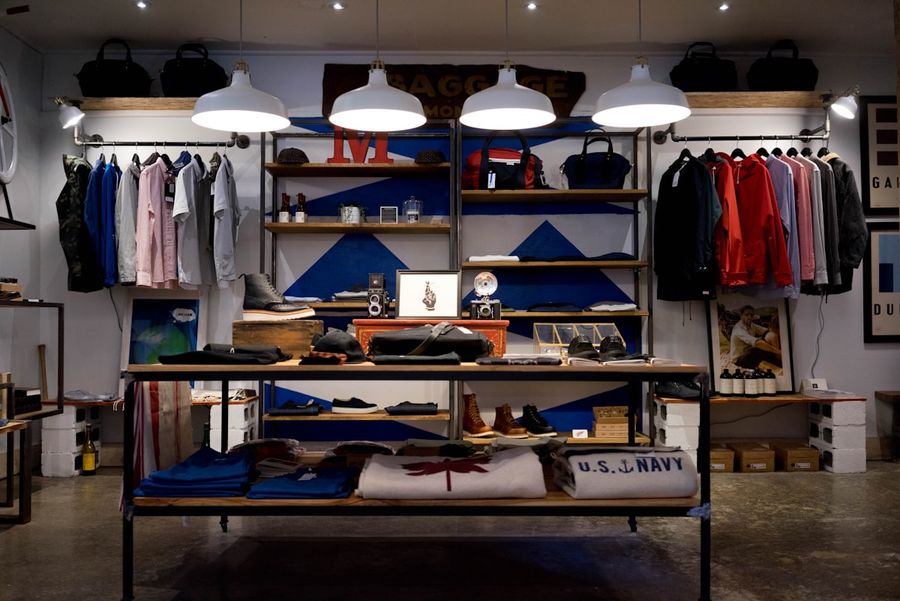
One of the biggest mistakes new Shopify brands make is spending too much time and money designing the store and not enough getting customers to it.
The belief that a beautiful store will generate sales is seductive and wrong. A beautiful store without traffic generates nothing. A beautiful store without offer clarity converts at the same rate as a mediocre one. The design work that matters most is not the custom animation or the editorial homepage layout. It is product photography, product page structure, trust signal placement, and mobile usability. All of those are achievable with a $350 premium theme and a few days of careful setup.
This guide covers everything you need to build a premium-looking Shopify store efficiently and at the right cost: the best themes for each brand type, where to find templates, when page builders make sense, when to hire a developer, and where the remaining budget should go instead of more design.
01What Actually Makes a Shopify Store Feel Premium
Premium stores are almost always simple, not overdesigned. The visual quality that separates a store that looks like a real brand from one that looks like a template comes from five factors.
Product photography. This is the single highest-impact investment in store quality. Clean white background shots, lifestyle images showing the product in use, scale reference shots, and detail close-ups transform how the product is perceived. No theme change produces as much visual improvement as professional product photography. A great theme with poor product photography will look worse than a modest theme with great product photography.
Consistent branding. A logo, a typography system of two complementary fonts, and a four-colour palette applied consistently across every touchpoint makes a store look intentional and professional. Inconsistency in colours, fonts, or image styles reads as amateurish regardless of how expensive the theme is.
Clean layout with adequate whitespace. Crowded pages look cheap. Generous spacing around product images, readable typography at a size and weight appropriate for mobile, and a clear visual hierarchy where the most important elements (headline, image, add-to-cart) are immediately visible without scrolling.
Strong merchandising. Clear collection structure, product pages that communicate benefits before features, and navigation that takes the visitor to the right product in two taps on mobile.
Mobile-first design and speed. As Qualimero's 2026 Shopify theme comparison notes directly: store owners obsess over colour palettes while ignoring the metrics that actually move revenue. A theme is infrastructure, not decoration. A 1-second slower load time equals 7 percent fewer conversions according to Google's own data. Most of your traffic is on mobile. Test every design decision on a real iPhone and Android device before publishing.
02Best Shopify Themes for 2026
Premium Shopify themes cost between $140 and $425 as a one-time payment. At that price point, the right theme pays for itself quickly through built-in conversion features that would otherwise require paid apps. Most brands do not need a fully custom theme.
Dawn (Free)
Shopify's own free theme and consistently the fastest-loading option available, with a PageSpeed score around 92 to 95 on desktop and strong mobile scores. Dawn includes cart drawers, predictive search, colour swatches, image galleries, and Shopify 2.0 sections. Best for: early-stage brands validating their product before committing to a premium theme, and any brand where speed and Core Web Vitals are the primary priority.
Prestige ($350, Maestrooo)
The long-standing default choice for fashion, beauty, and luxury brands. Prestige features editorial-style product pages, lookbook layouts, image hotspots, and a sophisticated mega menu. Its attention to typography and visual detail creates a premium shopping experience that justifies higher price points. Lighthouse score 82 or above. Best for: jewelry, high-end fashion, beauty, cosmetics, and any brand where perceived luxury is central to the product positioning.
Impulse ($350, Archetype Themes)
Built for conversion in high-volume stores. Impulse includes promotional features (countdown timers, sale badges, promotional banners), advanced collection filtering, and mega menus that handle large catalogues without navigation confusion. Handles filtering and mega menus particularly well for fashion catalogues across multiple categories. Best for: fashion and lifestyle stores with larger catalogues (50 or more products), brands running regular promotions, and any brand needing strong filtering and search.
Motion ($350, Archetype Themes)
A strong performer for cosmetics and lifestyle brands that want animations and video support without sacrificing performance. Motion includes video backgrounds, product video galleries, and smooth section animations while maintaining solid Core Web Vitals. Best for: beauty brands, lifestyle DTC, and any brand where video content and animated storytelling are central to the brand identity.
Shrine ($380)
The most searched Shopify theme by volume, with a clean and modern design that works across niches and a consistently premium aesthetic that reads as custom rather than templated. Shrine is not on the official Shopify Theme Store but is available directly from its developer. Best for: brands that want a clean, minimal look that does not read as a standard Shopify template across any product category.
Turbo ($425, Out of the Sandbox)
Consistently one of the fastest premium Shopify themes with a smart page preloading system that predicts user navigation. Turbo includes mega menus, quick view, and colour swatches with excellent Core Web Vitals scores. At $425 it is the most expensive theme listed here. Best for: high-traffic stores where speed directly impacts revenue, brands with large catalogues, and Shopify Plus stores investing in performance infrastructure.
Warehouse ($350)
Built for large catalogues with strong filtering, collection-focused layouts, and catalogue browsing features. Best for: stores with 200-plus products where catalogue navigation is the primary shopping behaviour, wholesale or general merchandise stores, and any brand where product discoverability across a large range is the primary design requirement.
03Where to Find Shopify Templates and Themes
Shopify Theme Store (themes.shopify.com). The official marketplace with free and paid themes all verified by Shopify's review process. Every theme is confirmed compatible with current Shopify versions and Online Store 2.0 architecture. The safest place to start: all themes are actively maintained by their developers, and support is available directly through the developer. Prices range from free to $425.
Out of the Sandbox (outofthesandbox.com). Developer of Turbo, one of the most performance-optimised themes available. Reliable development team with strong ongoing support and a reputation for code quality.
Maestrooo (maestrooo.com). Developer of Prestige, Impact, and Stretch. Their themes are design-forward and well-maintained, with a focus on fashion and luxury brands.
ThemeForest (themeforest.net). Large marketplace with a wide range of Shopify themes at lower price points. Quality varies significantly between developers. When using ThemeForest, check the author's review score and the number of recent reviews to confirm the theme is actively maintained. Avoid themes with no updates in the past 12 months.
04Shopify Page Builders: When They Help and When They Do Not
Page builders are valuable for specific use cases and counterproductive for others. The core use cases where they add genuine value are: dedicated landing pages for paid campaigns that need to be built and updated quickly without developer involvement, advertorial pages that require custom layouts not supported by the theme's default sections, and product page A/B testing where the marketing team needs to iterate on layout without waiting for development resources.
Instant. The strongest choice for teams working from Figma designs. Its Figma plugin allows direct design import, and it outputs native Shopify Liquid code rather than a JavaScript overlay. Pages built in Instant survive uninstallation and are editable in the Shopify theme customiser. Starting at $39 per month.
PageFly. The most mature and widely used page builder on Shopify. Strong template library, 24/7 support, and a free plan for one published page. Renders through a JavaScript overlay rather than native Liquid, which adds performance overhead. Starting at $24 per month.
Replo. Built for DTC brands and agencies running ongoing landing page programmes. Includes native A/B testing and a Webflow-style interface. Starting at $99 per month, positioning it as an enterprise-tier option rather than a launch tool.
GemPages. CRO-focused with 400 or more templates and built-in conversion tools including countdown timers and stock counters. Starting at $29 per month.
When not to use page builders: building the entire store with a page builder when a good theme would cover the same requirements without the monthly cost and performance overhead, and for beginner founders who are better served learning the Shopify theme customiser than adding a second layer of tooling to manage.
05Should You Hire a Shopify Developer or Build It Yourself?
DIY Makes Sense If:
You are early-stage and validating whether the product has a market. The standard Shopify theme customiser, combined with a well-chosen premium theme, is sufficient to build a conversion-ready store for a simple catalogue without any developer involvement. If you have fewer than 50 products, no custom integrations, no subscription functionality, and no complex navigation requirements, a DIY build using the theme customiser will produce a store that is functionally and visually equivalent to a developer-built one. The investment is time rather than money.
Hire a Developer If:
The project requires custom Liquid section development beyond what the theme provides, custom functionality not covered by available apps, subscription integration that needs a custom UI rather than an app-default widget, complex API integrations with ERP or inventory systems, or the store is scaling to a level where development velocity and theme quality directly impact revenue. The Shopify Experts Marketplace is the safest place to find vetted Shopify developers. Upwork works for specific technical tasks. For larger builds, a specialist Shopify agency or a developer with a specific portfolio of Shopify 2.0 builds is appropriate.
06The Fastest Way to Build a Premium Shopify Store Under $3,000
A clean, premium-looking store that is ready to convert cold traffic can be built at the following budget allocation.
Premium theme: $350 to $400. Dawn is free and sufficient for validation. Prestige, Impulse, or Motion at $350 to $380 if the brand category justifies the investment.
Logo and branding: $300 to $500. A logo, typography system, and colour palette from a Fiverr brand designer, a 99designs brief, or a small branding studio. AI design tools (Midjourney, Canva Brand Kit) can reduce this significantly for simple brands.
Product photography: $500 to $1,000. The single highest-impact investment in the entire budget. White background shots, lifestyle context images, and detail shots for the top three to five hero products. AI-generated lifestyle images are improving rapidly and can supplement real photography for non-hero products.
Developer tweaks: $500 to $1,000. Two to three days of developer time to implement any custom sections beyond the theme defaults, configure the metafield architecture for product data, and QA the store across devices. Optional if the theme customiser covers everything needed.
Apps and tools: monthly subscriptions. Email platform (Klaviyo from free), review app (Judge.me from free), and any upsell or subscription tool needed. Keep the app count low initially: each app adds script weight and monthly cost.
Total under $3,000 for a store that looks premium, converts cold traffic, and is ready to scale. Everything above this budget should go toward the marketing that brings customers to it.
07Where Founders Waste Money on Shopify Design
Custom homepage animations. Expensive to develop, slower to load, and invisible to a customer who has already decided whether to buy in the first three seconds of visiting the product page.
Full redesigns before validating sales. Spending $8,000 to $15,000 on a custom Shopify theme before proving the product sells. Dawn and a thoughtful product page structure is sufficient to validate any product. Invest in the custom build once the product has demonstrated demand.
Too many apps at launch. Each app adds JavaScript to every page load, adds a monthly subscription, and adds another system to manage. Start with the minimum viable app stack: payment processing, email capture, and reviews. Add other apps only when there is a specific, demonstrated need.
Obsessing over minor design details before traffic exists. Button colours, font weight differences, and section padding tweaks are relevant to stores processing hundreds of orders per day. They are invisible to stores without traffic. Customers buy products, not design awards.
08Where to Invest the Budget Instead
Every pound or dollar saved on unnecessary design complexity is a pound or dollar that can go toward the activities that actually drive growth. Paid ads on Meta or TikTok to validate the product and find the first customers. UGC and creator partnerships that produce the social proof and ad creative needed for sustained paid acquisition. Product photography that makes the store look professional. Influencer seeding to generate organic awareness in the right communities. Email and SMS infrastructure to build retention from the first order. Conversion testing on the product pages that are generating traffic once traffic exists.
The ratio that works: spend enough on the store to be credible and conversion-ready. Spend the rest on getting people there and bringing them back.
09Shopify Store Build Checklist
Use this sequence to build and launch without getting stuck on any single element.
Choose and install your theme. Configure branding tokens (colours, fonts, logo) in the theme customiser. Upload product images in the correct format (WebP or JPEG, under 500KB, 2000px minimum on the longest side). Build collection structure and assign products. Write product page copy with benefit-led headline, material specifications, size or specification details, and FAQ section covering the most common purchase objections. Configure the review app and set up automated review request emails. Install Klaviyo and build an email capture popup with a first-order offer. Configure payment methods including Shop Pay, Apple Pay, and any relevant BNPL option. Set up shipping rates and confirm the free shipping threshold is visible in the cart. Test the complete checkout flow on both desktop and iPhone Safari. Run Google PageSpeed Insights on the product page and homepage and address any issues above 3 seconds LCP. Review the entire homepage, collection page, and product page on a real mobile device. Launch.
10Your Store Does Not Need to Be Perfect to Convert. It Needs to Be Ready.
A clean, premium-looking Shopify store built on a good theme with professional product photography and clear product pages is ready to convert cold traffic. Everything beyond that baseline is optimisation that produces diminishing returns relative to the same budget invested in marketing.
The founders who launch fastest and spend most carefully on design almost always outperform the ones who spend months building what they imagine is the perfect store. Launch with a store that is good enough. Spend the rest of your energy and budget getting people to it.
Sources
- Charle: Best Shopify Themes 2026 Free and Premium Reviewed (Prestige Fashion Default, Impulse Filtering, Premium $140-$425 One-Time)
- EasyApps Ecom: Best Shopify Themes 2026 Speed Tested (Prestige $350 Luxury, Impulse Conversion Features, Dawn PageSpeed 95)
- Qualimero: Best Shopify Themes 2026 Speed Design Conversions Compared (Impact Turbo Premium, Dawn 92 Score, Theme as Infrastructure Not Decoration)
- AdsX: 20 Best Paid Shopify Themes 2026 Tested Speed CVR and Cost (Prestige $380 Fashion, Impulse Large Catalogs, Turbo Speed)
- DropMagic: Best Shopify Themes 2026 Free and Premium Compared (Shrine Clean Minimal, Impact Promotions, Prestige Luxury, Premium $180-350)
Frequently Asked Questions
What is the best Shopify theme for a new store in 2026?+
How much does it cost to build a premium Shopify store?+
Do I need a Shopify page builder?+
Should I hire a Shopify developer or build my store myself?+
What makes a Shopify store look premium?+
Is Dawn good enough for a serious Shopify store?+
What should I spend the rest of my budget on after building the store?+
Build the Store Well Enough to Convert. Then Spend Your Energy Getting People to It.
We build clean, premium Shopify stores using the right tools for your stage, without over-engineering. Book a free call and we will scope what you actually need.
