Shopify 3PL Integration Guide: How to Connect Shopify With Your Fulfilment Partner
One of the Biggest Operational Mistakes Growing Ecommerce Brands Make Is Waiting Too Long to Improve Fulfilment.

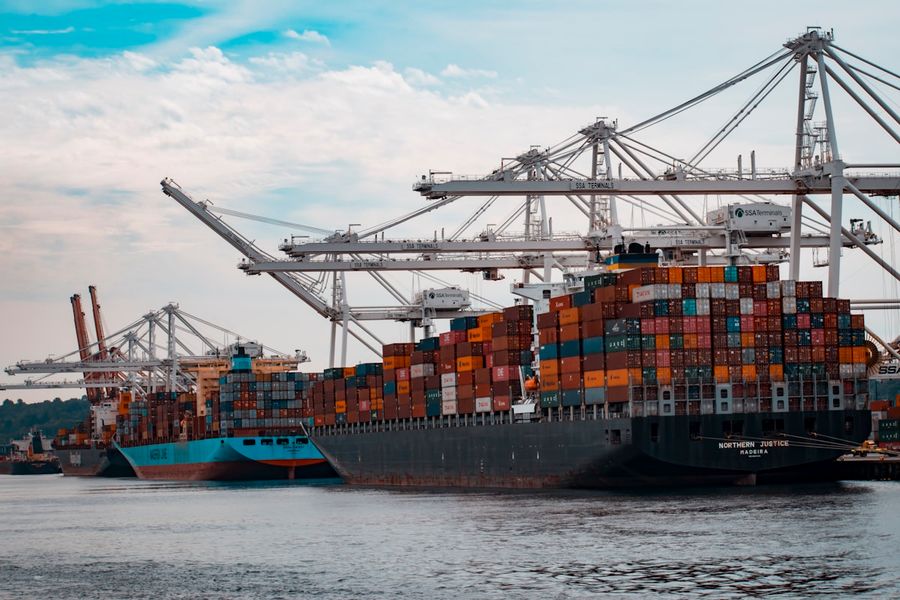
One of the biggest operational mistakes growing ecommerce brands make is waiting too long to improve fulfilment.
The pattern is consistent: a brand starts shipping from home or a small office. It works. Revenue grows. Order volume grows. Inventory expands. The founder is packing boxes at midnight before a promotional launch. A spare bedroom becomes a stockroom. The stockroom overflows. Shipping delays appear. Customer service tickets about late orders accumulate. At some point the fulfilment operation has become the primary constraint on growth, and every hour the founder spends managing it is an hour not spent on the acquisition, product development, and marketing that would accelerate the business.
A 3PL (third-party logistics provider) resolves the fulfilment bottleneck by taking on warehousing, picking, packing, shipping, and returns on the brand's behalf. But connecting a 3PL to Shopify correctly is where most brands encounter the operational problems they were trying to escape: inventory mismatches, checkout errors, tracking failures, and the general operational dysfunction of two systems that should be in sync but are not. This guide explains how to get the integration right from the start.
01What Is a 3PL?
A third-party logistics provider handles the physical fulfilment operations of an ecommerce brand: receiving inventory from suppliers, storing it in the 3PL's warehouse, picking and packing orders when they are received, shipping to the end customer, and processing returns when they arrive. The brand retains ownership of the inventory and control of the customer experience. The 3PL provides the physical infrastructure, labour, carrier relationships, and operational expertise that makes consistent, scalable fulfilment possible without the brand owning or staffing a warehouse.
02Signs Your Shopify Brand Needs a 3PL
The operational signals that indicate 3PL readiness are reliable across most growth-stage brands: inventory has taken over non-warehouse space in the business (home, office, or rented storage that was not designed for fulfilment operations), shipping delays are appearing regularly because order volume exceeds the team's picking and packing capacity, the founder or senior team members are personally managing fulfilment rather than growth activities, multiple employees are dedicated to fulfilment creating a labour cost that could be replaced by 3PL fees with better service levels, inventory accuracy is deteriorating because the tracking system cannot keep pace with receiving and shipping volume, or the cost of leasing and operating a warehouse is being seriously considered. Any combination of three or more of these signals suggests 3PL evaluation is overdue.
03How Shopify 3PL Integrations Work

A Shopify 3PL integration creates a bi-directional data flow between Shopify's order management system and the 3PL's warehouse management system (WMS) or fulfilment platform. Understanding which data flows in which direction, and what happens when that flow breaks, is the foundation of a reliable fulfilment operation.
Order sync (Shopify to 3PL). When an order is placed in Shopify, the integration sends the order details (products, quantities, SKUs, customer shipping address, any gift messages or special instructions) to the 3PL's system automatically. The 3PL's warehouse team picks and packs against this order without requiring manual intervention from the brand.
Inventory sync (3PL to Shopify). The 3PL's WMS is the physical inventory record. As inventory is received into the warehouse, picked for orders, returned by customers, or damaged, the 3PL's system updates its count. Those updates push to Shopify to keep the displayed inventory count accurate. This sync must be sufficiently frequent to prevent overselling, particularly during promotional periods where order volume spikes rapidly.
Fulfilment and tracking sync (3PL to Shopify). When the 3PL ships an order, it generates a tracking number. The integration pushes this tracking number back to Shopify, which marks the order as fulfilled and sends the shipping confirmation email to the customer. Without this sync working correctly, orders remain in an unfulfilled state in Shopify while the physical package is in transit, and customers receive no shipping notification.
Returns sync (3PL to Shopify). When a customer returns a product and the 3PL receives and inspects it, the integration should update Shopify with the returned item status (restocked, damaged, or disposed) and create or update the relevant refund record. This is one of the most frequently incomplete parts of Shopify 3PL integrations.
04Common Shopify 3PL Providers
The major 3PL providers with established Shopify integrations, and where each fits best:
| 3PL Provider | Best For | Shopify Integration | Notable Strengths | Considerations |
|---|---|---|---|---|
| ShipBob | DTC brands, 100-10,000 orders/month | Native Shopify app | US distributed network, strong Shopify native integration, analytics dashboard | Minimum order volumes required, can be expensive for low-AOV products |
| ShipMonk | Growing DTC and subscription brands | Native Shopify app | Strong subscription fulfilment, kitting and assembly, transparent pricing | Fewer locations than ShipBob, may be slower for West Coast delivery from East Coast facilities |
| Flexport | Mid-market and enterprise, international supply chain | API and Shopify app | End-to-end supply chain visibility, freight forwarding, domestic fulfilment combined | Better suited to brands with international sourcing needs alongside domestic fulfilment |
| Red Stag Fulfilment | Heavy, oversized, or high-value products | API and direct integration | Guaranteed accuracy SLAs, zero shrinkage guarantee, specialises in large/heavy items | Not cost-effective for small, lightweight parcel brands |
| Amazon MCF | Brands already selling on Amazon FBA with Shopify store | Shopify app (Buy with Prime) | Leverages existing FBA inventory, fast shipping, Prime badge on Shopify | Amazon branding on packaging, less flexibility, MCF fees on top of FBA fees |
| Extensiv (fka Whiplash) | Multi-3PL network management, enterprise brands | API, OMS layer above multiple 3PLs | Connects multiple 3PLs under one OMS, advanced routing rules, enterprise reporting | Better suited to brands managing multiple fulfilment partners simultaneously |
05The Most Common Shopify Inventory Problems With 3PLs
SKU mismatch. The most common and most preventable integration failure. The 3PL's WMS uses a different product identifier than Shopify (SUPP-MAG-400 in Shopify versus SUPP.MAG.400 in the WMS). The integration cannot match the records. Inventory updates from the 3PL apply to the wrong product in Shopify, or do not apply at all. Prevention: establish one master SKU structure before integration and require both Shopify and the 3PL to use exactly the same identifiers. Document this agreement and test it before going live with any order volume.
Location mismatch. Shopify's inventory location structure requires that the 3PL's fulfilment location is correctly configured as a Shopify fulfilment location and that the relevant products are assigned to that location. If inventory updates are posting to a different location than the one assigned as the fulfilment location for online orders, products will show as out of stock at checkout even when physical inventory exists at the 3PL. This is the root cause of most checkout out-of-stock errors in brands with 3PL relationships.
Inventory lag. The integration syncs inventory on a scheduled basis (every 15 minutes, hourly) rather than in real time. During a promotional spike, Shopify's displayed inventory is hours behind the 3PL's actual count. Customers successfully add the last unit to cart and complete checkout multiple times during the sync window, producing oversells that require manual resolution. Real-time or near-real-time inventory sync (every 5 minutes or better) is important for brands running any paid promotional activity.
Duplicate inventory records. When a brand transitions from self-fulfilment to a 3PL, inventory may exist in both the previous Shopify location and the new 3PL location simultaneously. If both locations are enabled for online fulfilment, Shopify shows the combined count and can accept orders that route to the wrong location. The transition requires explicitly disabling the previous location for online fulfilment before the 3PL location goes live.
06Why Products Show as Out of Stock at Checkout
This is one of the most frequently encountered and most confusing Shopify fulfilment problems. A product shows inventory available on the product page but customers receive an out-of-stock error when trying to complete checkout. The most common causes in order of frequency:
The inventory exists at a location that is not enabled for online fulfilment orders. Shopify shows total inventory across all locations on the product page but only allows checkout if the specifically designated online fulfilment location has stock. Check Settings then Locations then the online fulfilment location to confirm it is correctly assigned and that the relevant products are active at that location.
The product variant is configured with a fulfilment service that is not correctly active or connected. When a fulfilment service (the Shopify representation of the 3PL's connection) is assigned to a product but the connection is not functioning, Shopify treats the inventory as unavailable for checkout. Review the fulfilment service status in Settings then Locations and check that the 3PL's fulfilment service is active and processing correctly.
The 3PL's inventory sync has not run since inventory was received. If product was received into the 3PL's warehouse but the sync has not yet pushed that count to Shopify, the Shopify inventory count remains at zero or below threshold even though physical stock exists. Check the sync log in the integration and confirm when the last inventory update ran.
07Shopify Locations: The Foundation of Fulfilment Configuration
Shopify's location system is where most 3PL integration configurations either succeed or fail. Every inventory location in Shopify (warehouses, 3PLs, retail stores) is a distinct location with its own inventory counts. When a 3PL is added, Shopify creates a fulfilment service location representing the 3PL's fulfilment capability. Orders assigned to that location are sent to the 3PL for processing through the integration.
The configuration decisions that must be made correctly before go-live: which location is the primary fulfilment location for online orders, which locations are stocked and active for the relevant products, whether the old self-fulfilment location is disabled for online orders before the 3PL location is enabled, and how order routing logic works if multiple locations are active simultaneously. Incorrect location configuration is the root cause of the majority of checkout and fulfilment errors in Shopify 3PL integrations.
08SKU Management Best Practices
The SKU structure decision made at the start of a catalogue is the most expensive decision to change later. A consistent, logical SKU format that encodes brand, product type, variant attributes, and size in a predictable pattern (BRAND-PRODTYPE-COLOUR-SIZE: eg. SUPP-COL-VAN-30) allows the 3PL, ERP, and Shopify to match records reliably without manual mapping. Barcode (UPC or EAN) assignment at the variant level in Shopify, and requiring the 3PL to receive inventory against those barcodes, provides a second matching identifier that prevents SKU mismatch errors.
The rule: if a product variant is sold in Shopify, it must have a SKU that is identical across every system (Shopify, 3PL WMS, ERP if applicable). Not similar. Identical. Character-for-character, case-sensitive identical. A difference in capitalisation, a period instead of a hyphen, or a trailing space that is invisible in a spreadsheet will break the integration match and cause inventory to apply to the wrong variant or not apply at all.
09The Shopify plus ERP plus 3PL Architecture

For brands that have both an ERP and a 3PL, the correct data architecture is three connected layers. Shopify is the commerce layer: it manages the storefront, checkout, and customer-facing order experience. The ERP is the operational layer: it is the system of record for inventory ownership, purchasing, accounting, and demand planning. The 3PL is the fulfilment layer: it manages the physical inventory and executes the pick, pack, and ship operations.
The data flow in this three-layer architecture: Shopify orders push to the ERP for financial recording and to the 3PL for fulfilment. The 3PL's physical inventory counts push to the ERP as the operational system of record, and the ERP pushes those counts to Shopify to update the customer-facing inventory display. The critical design decision is designating which system owns inventory data: in most architectures, the ERP is the authoritative source and Shopify receives inventory updates from the ERP rather than directly from the 3PL. This prevents the split-brain problem where Shopify and the ERP show different inventory counts because they are receiving updates from different sources.
10Questions to Ask a Potential 3PL
Before signing with any 3PL, get clear answers to the following:
| Question | Why It Matters | Good Answer Looks Like |
|---|---|---|
| What is your inventory accuracy SLA? | Inventory inaccuracy directly causes overselling, stockouts, and planning errors | 99.5% or higher with a shrinkage guarantee and clear liability terms |
| How does your Shopify integration work? | Native integration is faster, more reliable, and easier to troubleshoot than custom API builds | Native Shopify app or certified integration partner, real-time or near-real-time sync |
| What is your order cut-off time? | Determines same-day ship capability and how delivery promises are set | Noon or later for same-day processing; specific cut-offs for 2-day guaranteed |
| How are returns handled? | Poor returns handling creates customer service backlog and inventory inaccuracy | Clear receiving SLA, inspection on receipt, real-time restock or quarantine status update to Shopify |
| Do you have experience with brands at our order volume and product type? | A 3PL that specialises in apparel may not handle supplement fulfilment correctly | Specific reference brands in your category, volume references close to your current level |
| What reporting is available? | Operational visibility into fulfilment performance is essential for managing the relationship | Real-time inventory dashboard, order status tracking, on-time ship rate reporting, cost per order breakdown |
11Common 3PL Integration Mistakes
Going live without testing the complete order flow. The test is not whether the integration can transfer data. The test is whether a real order can be placed in Shopify, received correctly by the 3PL's WMS, picked, packed, shipped, and tracked back to Shopify with the correct fulfilment status and tracking number. This end-to-end test must run for multiple order types (standard, multi-line, subscription) before any real customer traffic.
No operational documentation. The integration configuration, SKU mapping, location assignments, and error handling procedures exist in someone's head rather than in documentation. When the person who configured the integration leaves, or when the 3PL's technical contact changes, the undocumented configuration becomes impossible to troubleshoot reliably.
Failing to disable old fulfilment locations. When the transition from self-fulfilment to 3PL happens, the previous self-fulfilment location must be explicitly disabled for online order fulfilment before the 3PL location is enabled. Otherwise, Shopify routes orders to the old location where there is no picking and packing capability, and those orders sit unprocessed.
12A 3PL Is Part of Your Operational Infrastructure
The brands that scale efficiently are rarely the brands shipping the fastest. They are the brands with the most accurate inventory, the best operational visibility, and the strongest fulfilment systems. A well-integrated 3PL relationship, with correct Shopify location configuration, accurate SKU mapping, real-time inventory sync, and tested end-to-end order flow, removes the fulfilment bottleneck and lets the brand focus on what drives growth. A poorly integrated 3PL relationship creates the same operational chaos that motivated the 3PL transition in the first place, with the added complexity of a third-party system to troubleshoot.
Frequently Asked Questions
What is the best 3PL for Shopify?+
How does Shopify connect to a warehouse?+
Can Shopify sync inventory with a 3PL?+
Why are products showing out of stock at checkout?+
Can Shopify manage multiple warehouses?+
Do I need an ERP with a 3PL?+
The Brands That Scale Efficiently Are Rarely the Fastest Shippers. They Are the Ones With the Most Accurate Inventory, the Best Operational Visibility, and the Strongest Fulfilment Systems.
Book a free operations audit and we will review your current fulfilment setup, identify the gaps, and help you build the infrastructure that supports your next stage of growth.
